
myQ Community
The Chamberlain Group LLCLifestyle
4.4521.00 Reviews
- Version
- 7.0.45.478333
- Installs
- 100.00K
- Age Rating
- Everyone
Screenshots
Our Review of myQ Community
 Analysis by Appyee
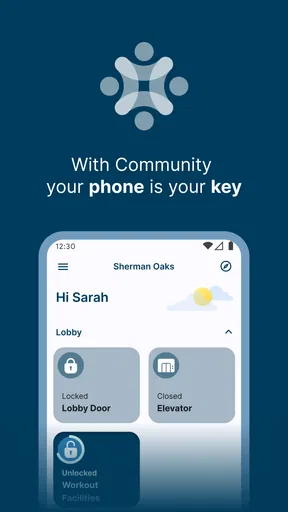
Managing access to a shared residential building can become surprisingly complicated when garage entry, resident communication, and property-management routines are handled separately. myQ Community is designed to bring that access experience into one mobile workflow for residents and property managers. I found it most useful when I treated it as a practical access tool rather than a general smart-home dashboard.
The app comes from The Chamberlain Group LLC and sits in the lifestyle category. It is free to use, carries an Everyone age rating, and is available for devices running Android or iOS systems that meet its minimum operating requirement. Its current version is 7.0.45.478333, and the app has passed the 100K-install mark with an average score of 4.4 from roughly 6.7K ratings. Those figures suggest a reasonably established service, although the day-to-day experience still depends heavily on how a particular property has configured community access.
How the everyday access workflow feels
My first recommendation is to start with the basic routine: sign in, identify the community connection, and learn where the access controls and resident-facing information appear. That sounds obvious, but shared-property apps are easier to use when you spend a few minutes understanding their layout before you need to enter a garage or deal with a visitor.
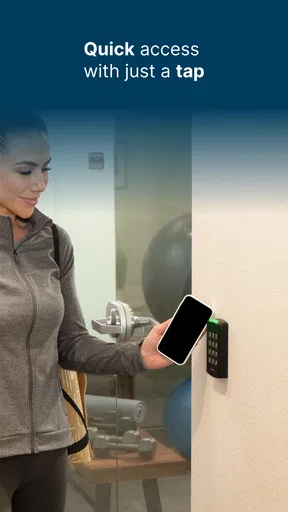
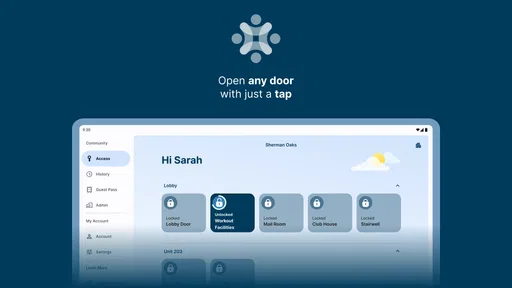
For a resident, the main value is convenience at the point of entry. Instead of relying only on a physical remote or trying to remember a building-specific process, the phone becomes part of the access routine. I would not describe this as a replacement for every traditional method in every building, but it can make arrival more straightforward when the community supports the relevant myQ setup.
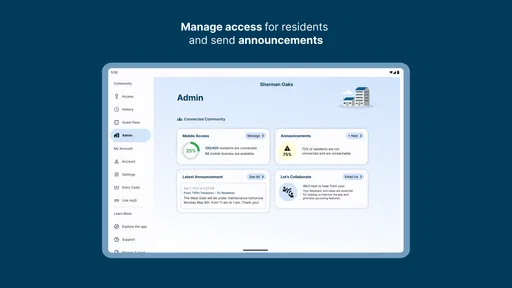
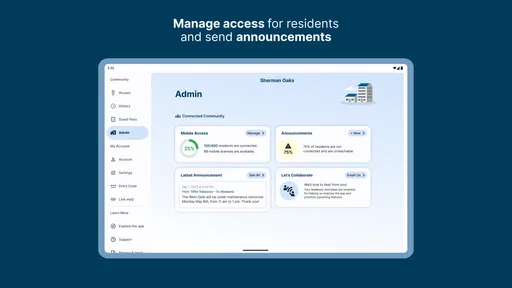
For a property manager, the perspective is different. The app is less about personal convenience and more about coordinating access across a group of people. A manager may need to think about residents, shared entrances, move-ins, and the practical question of how a digital access process fits alongside existing building procedures. The app makes sense in that environment because it is aimed at community access, not merely at controlling one private garage door.
A realistic example is arriving home with groceries while your phone is already in your hand. A well-prepared resident can use the app as part of the normal arrival sequence instead of searching for a remote or stopping to ask another resident how the entrance works. The important detail is preparation: the useful experience comes from having the account and community relationship set up before that moment, not from trying to configure everything at the entrance.
I also found that the app is easier to judge when separated into two stages. The first is setup and orientation, where you confirm that your building and account are connected correctly. The second is repetition, where you use the same access path each time. New users often focus on whether the app can open or manage access, but experienced users pay equal attention to how quickly they can reach the right screen and whether the property’s rules make the workflow predictable.
Who benefits most from the community approach
This is a strong fit for residents in buildings that actively use myQ Community and want a phone-based way to participate in the property’s access system. It is also a sensible option for property managers who want residents to have a shared digital entry experience rather than a collection of unrelated instructions.
The app is less compelling for someone who lives in a standalone home and only wants basic personal garage-door control. In that situation, a conventional myQ home-focused experience may be more appropriate because a community platform introduces a property-management context that the individual homeowner may not need.
I would also hesitate to recommend it as the only access plan for someone who is uncomfortable depending on a phone. A physical remote, building procedure, or other approved backup may still matter in real life. Batteries run low, phones get misplaced, and residents sometimes change devices. The app can simplify access, but it does not remove the need to understand the property’s broader entry arrangements.
Settings and habits that make the app easier to live with
The most useful “advanced” improvement is not a mysterious feature; it is a repeatable setup habit. After installing the app, I would check the account details, confirm the correct community association, and review every access-related screen slowly. If a building has more than one entrance or shared area, knowing which control belongs to which location prevents hesitation later.
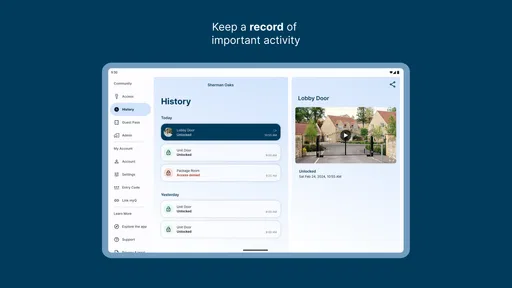
Notifications are another area worth reviewing. I prefer to keep access-related alerts available while avoiding unnecessary interruptions from anything that is not important to my routine. The exact choices can depend on the community configuration and the phone’s operating system, but the principle is simple: allow the app to communicate when it matters, then reduce distractions elsewhere in the device settings.
It is also worth checking the app after a phone change or a major operating-system update. Community access is more sensitive than an ordinary lifestyle app because a small sign-in or permission issue may only become visible when you are standing outside. I make a habit of opening the app and confirming that the familiar community and access path still appear after any major device change.
Another practical step is to keep the app easy to reach. I would place it somewhere visible on the home screen rather than burying it in a folder of rarely used applications. This does not change what the software can do, but it reduces the number of taps during an arrival or departure. For a tool used in a specific physical moment, small interface habits matter more than decorative customization.
Residents should also learn the difference between an account problem and a property-level problem. If the app opens normally but the expected community or access option is missing, repeatedly reinstalling it may not solve anything. The issue could involve the resident’s association with the building or the way the manager has configured access. Recognizing that distinction saves time and helps you contact the right person with a clear explanation.
Managers can apply the same thinking at a larger scale. Before inviting residents to rely on the app, they should establish a simple internal routine for onboarding, changes, and support. The app may streamline access, but residents still need clear guidance about when to use it, what to do after changing phones, and whom to contact if their community connection does not appear correctly.
Faster patterns for repeat users
Once the basic workflow is familiar, speed comes from consistency. I would use the same sequence every time: open the app before reaching the entrance, confirm the relevant community context, and then use the access control rather than exploring other screens at the last second. This is especially helpful when arriving in poor weather or while carrying bags.
A second useful pattern is to check the app before leaving home if you know you will need it at a shared entrance later. That quick check can reveal a sign-in issue while you still have time to deal with it. It is a small habit, but it changes the app from an emergency tool into a predictable part of the day.
For residents who regularly receive guests, the best approach is to understand the building’s approved guest process before promising anything. The app’s community role does not automatically mean every property handles visitors in the same way. I would avoid assuming that a feature or permission available in one building is available in another. Instead, learn the exact process your manager expects and use the app only within that arrangement.
For managers, a repeatable onboarding message can make a noticeable difference. Rather than giving residents a vague instruction to download the application, provide a short sequence: install it, sign in, connect to the community, test the expected access route, and report any mismatch before the resident’s move-in day. That workflow reduces the common mistake of treating installation as proof that access is ready.
One trade-off is that digital convenience can encourage people to stop thinking about the underlying access system. I prefer to keep a mental backup plan: know the building’s normal alternative entry method and keep essential contact information available. This is not a criticism of the app; it is sensible preparation for any phone-dependent service connected to a physical doorway.
Where the app reaches its limits
The biggest limitation is that the experience is community-dependent. A resident cannot judge the app only by its interface because the property manager’s configuration, the building’s entry equipment, and the resident’s account status all shape what appears and how useful it becomes. Two people can install the same application and have noticeably different experiences because they belong to different communities.
That dependence also means the app is not a universal substitute for every access method. If your property does not use the relevant myQ Community setup, the application may not solve your problem. If your main goal is controlling a private garage at a single-family home, a community-oriented workflow may feel unnecessary. In both cases, a more focused alternative is likely to be easier.
I also would not choose it for someone looking for a broad smart-home command center. Its purpose is narrower and more practical: community access for property managers and residents. That focus is a strength when you live in a participating building, but it becomes a limitation if you expect extensive home automation, entertainment controls, or a large collection of unrelated lifestyle tools.
There is a human factor as well. Managers need to communicate clearly, and residents need to keep their account details current. An app cannot compensate for an outdated resident record or unclear building policy. When access matters, the software is only one part of the chain. The property’s administration and the resident’s device habits remain important.
Privacy and convenience also need to be balanced in a shared environment. I would use only the access functions that my building requires and avoid treating the app as something to explore casually during a busy entry moment. Residents should understand who manages their community access and what the building expects, while managers should provide enough instruction for people to use the service confidently without guessing.
My verdict after using it as a community tool
myQ Community works best when the property has already committed to a compatible digital access process. In that setting, I can see the appeal immediately: residents get a repeatable phone-based routine, while managers have a platform built around shared residential access rather than an individual homeowner’s garage alone.
The free price removes an obvious barrier for residents, and the Everyone rating makes it approachable for a broad household audience. The app’s established presence and 4.4 average are reassuring, but I would still place more weight on whether your specific building supports it properly. Community software is judged at the doorway, not only in the app store.
My strongest advice is to test the complete workflow before depending on it. Confirm the community connection, locate the access control, review notifications, and try the routine when you are not under pressure. Then keep the process consistent. Those steps provide more practical value than repeatedly searching through settings or assuming the app will behave identically for every property.
I recommend it to residents whose managers actively use the service, particularly people who want to reduce dependence on a physical remote and keep access information on their phone. I also recommend it to property managers who are prepared to support onboarding and explain the building’s rules clearly.
I would skip it if you need a private-home garage controller, a full smart-home platform, or a service that works independently of property administration. For everyone else, this is a focused lifestyle app with a clear purpose. It is not trying to do everything, and that is exactly why it can be useful when your building’s access system is aligned with it.
Verdict
Strengths of myQ Community
- Conveniently manage smart-home and community access from one app.
- Receive delivery notifications and track package activity more easily.
- Guest access features help simplify entry for visitors and service providers.
- Supports multiple properties or devices under one account.
- Useful alerts can improve awareness of doors, gates, and shared amenities.
Limitations of myQ Community
- Some features depend on compatible myQ hardware and community setup.
- Notifications may be delayed by network issues or device connectivity.
- The app can feel overwhelming when managing several locations or devices.
- Certain community features may vary significantly by property or management company.
- Account, location, and device permissions require careful setup for reliable access.
Other Releases by The Chamberlain Group LLC
View All
myQ Garage & Access Control
Lifestyle3.6
Similar Picks in This Category
View All
SmartThings
Samsung Electronics Co., Ltd.4.6

Google Home
Google LLC4.0

Pinterest4.2

Astrotalk - Talk to Astrologer
Astrology & Horoscope4.7

My Verizon
Verizon Consumer Group4.5

Samsung Wallet (Samsung Pay)
Samsung Electronics Co., Ltd.4.1
Frequently Asked Questions
What is myQ Community, and what can I use it for?
myQ Community is a smart-access and property-management app designed for residents of participating apartment communities and multifamily properties. Depending on the building’s setup, it can help you open gates, doors, garages, and other controlled entry points, receive property notifications, manage visitors, and interact with community services. Available features vary by property, so your building must support myQ Community for the app to be useful.
How do I create an account and connect my property to myQ Community?
After installing myQ Community, you generally need to register with an email address or mobile number and follow the verification instructions. Access to your community is normally provided through an invitation, activation email, or enrollment process managed by the property office. If your building does not appear, or your invitation has expired, contact the property manager rather than creating multiple accounts, since access permissions are linked to your resident profile.
Can myQ Community open my apartment building’s doors, gates, or garage?
The app can provide mobile access to supported entrances, but it does not automatically work with every door, gate, or garage. Your property must have compatible myQ equipment and must assign you the correct permissions. Once enabled, you may see access buttons for locations such as the main entrance, parking gate, package room, or garage. If a button is missing, your account may need to be updated by management.
Can I use myQ Community to give guests or service providers access?
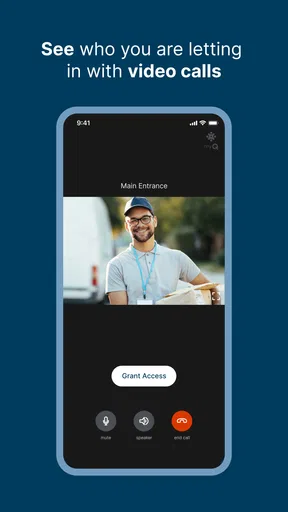
Many participating properties allow residents to create guest invitations or provide temporary access for visitors, deliveries, cleaners, or service professionals. The exact process and available controls depend on your community’s policies and configuration. Before sending an invitation, check the recipient’s details, access dates, and permitted entry points. You should also avoid sharing permanent credentials, because temporary invitations are safer and easier to revoke.
What should I do if the app cannot unlock an entrance or stops working?
First, confirm that your phone has an internet connection, Bluetooth or location permissions are enabled when required, and the app is updated to the latest version. Close and reopen the app, then check whether your access permission is still active. If the problem continues, do not rely on the app as your only way to enter the property; contact the leasing or property office and myQ support, especially if the issue involves a safety-related entrance.
